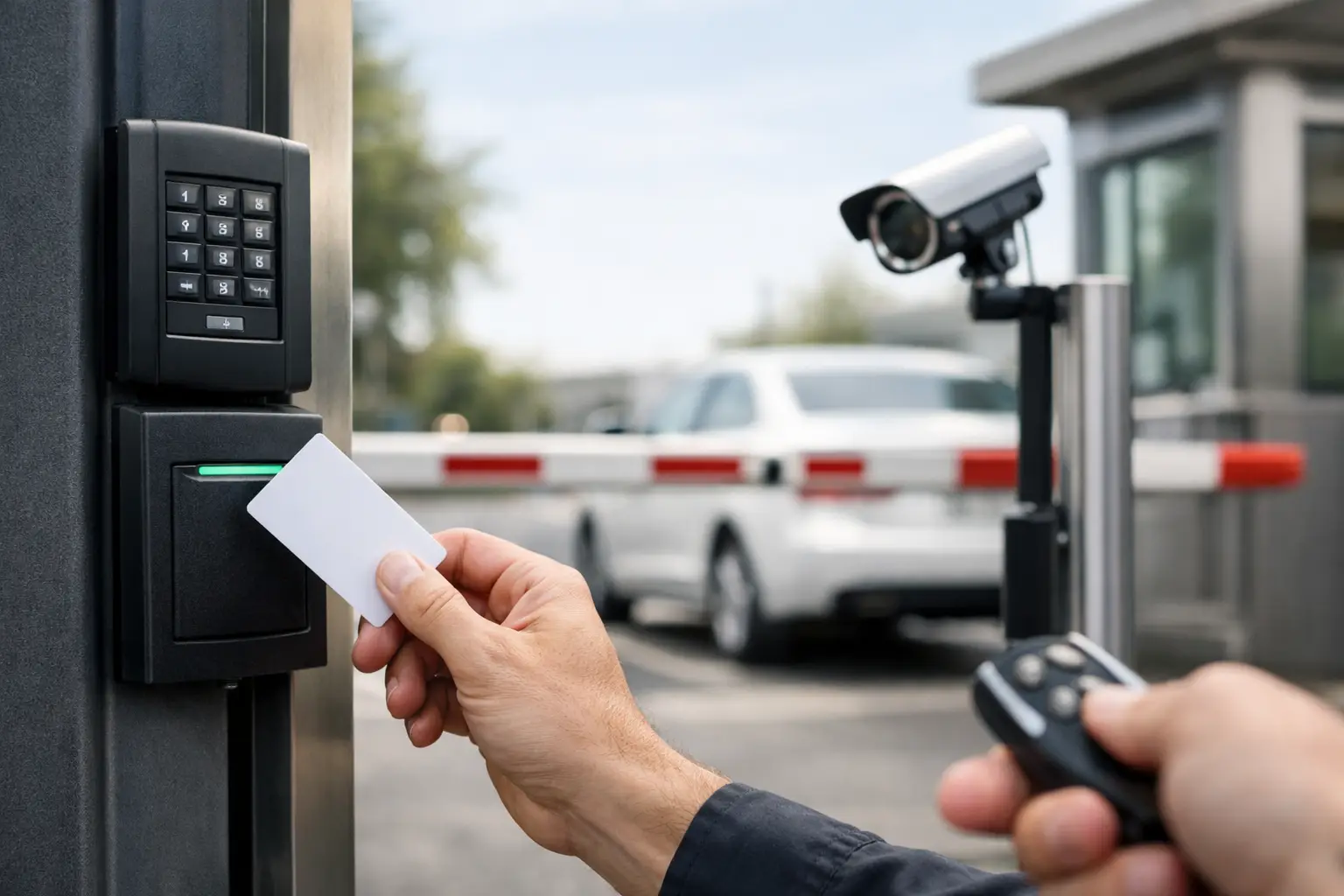
A gate that opens only when it should makes daily life easier. The right gate access controls can keep unwanted visitors out, give family or staff a simple way in, and reduce the hassle of getting out of a vehicle in Arizona heat. The wrong setup, though, can create bottlenecks, security gaps, and frustrating service calls.
For a home, ranch property, office lot, storage yard, or small commercial site, the best system is not always the most expensive one. It is the one that matches how people actually use the entrance, how much control you need, and what your gate operator can safely support.
What Gate Access Controls Do
Gate access control is the equipment that tells an automatic gate when to open and who is allowed to activate it. It can be as simple as a vehicle remote or as detailed as a keypad, telephone entry system, card reader, or mobile app.
Most properties use more than one method. A homeowner may use remotes for the household, a keypad for guests, and an exit sensor for vehicles leaving the driveway. A business may use credentials for employees, a call box for visitors, and scheduled access rules for delivery drivers.
The goal is not just convenience. A properly selected system helps you manage entry without leaving the gate open all day or handing out physical keys that can be copied, lost, or never returned.
Gate Access Controls for Homes
Residential gates need to feel simple every day. If family members struggle to use the system, they may start leaving the gate open, which defeats the purpose. For most homes in Gilbert, Chandler, Mesa, and nearby communities, a few dependable options cover the majority of needs.
Remotes and Vehicle Transmitters
Remotes are familiar, fast, and convenient from inside a vehicle. They are a practical choice for household members who come and go often. The trade-off is that a lost remote should be removed from the system promptly, especially if it was attached to a vehicle registration or other identifying information.
Modern operators can often use rolling-code technology, which changes the transmitted code to make unauthorized copying more difficult. The remote still needs to be compatible with the operator, so it is worth confirming compatibility before buying replacements.
Keypads for Family, Guests, and Service Providers
A keypad lets people enter a code instead of carrying a remote. This is especially helpful for dog walkers, cleaners, landscapers, relatives, and older children who need access without a key.
Look for a keypad that supports multiple codes. That way, you can give each regular visitor a separate code and delete it when access is no longer needed. Avoid using easy-to-guess codes such as an address, birth year, or 1234. A keypad needs to be mounted where drivers can reach it safely without blocking traffic or putting a vehicle too close to the gate’s moving path.
Telephone Entry and Video Calling
Telephone entry systems allow a visitor to select a resident or enter a directory code. The resident can then speak with the visitor and release the gate from a phone. Video-enabled options add a visual check before you grant entry.
This is a strong choice for homes with frequent deliveries or a long driveway. It does require reliable power and a dependable communication connection. Depending on the system, that may be a hardwired phone line, cellular service, Wi-Fi, or internet access. In areas with weak signal coverage, a technician should verify the connection before installation.
Smartphone-Based Access
Mobile apps can be convenient when you want to open a gate from anywhere or manage access without programming remotes in person. Some systems let you issue temporary digital access, review activity history, or set time limits for guests.
The trade-off is dependence on phones, apps, and connectivity. A system should still have a reliable local way to enter if a phone battery dies, internet service drops, or an app needs an update. For many households, a smartphone system works best as an added layer, not the only access method.
Commercial Gate Access Controls Need More Oversight
Businesses, multifamily properties, and storage facilities usually have more traffic and more people who need different levels of access. That changes the conversation from simple gate opening to access management.
A commercial property may need employee credentials, visitor entry, delivery procedures, audit records, and the ability to remove access immediately when someone leaves the company. A single shared keypad code rarely provides enough accountability for that type of site.
Cards, Fobs, and Credential Readers
Proximity cards and key fobs are common because they are quick to use and easy to assign to individual employees. When a card or fob is lost, it can be deactivated without changing access for everyone else.
These systems work well for staff-only gates, employee parking, and controlled yards. They can also be set up with schedules, so a credential works only during approved hours. That can be useful for contractors, cleaning crews, or vendors who should not have unrestricted entry.
Call Boxes and Visitor Entry
For a property that receives customers, vendors, or drivers, a call box gives visitors a clear way to request access. A basic model may dial a designated phone number. More advanced units can use directories, camera views, mobile credentials, and cloud-based management.
Think carefully about visitor traffic before choosing a unit. If delivery drivers arrive in large trucks, the call box must be placed where they can reach it without backing up into the street or damaging landscaping. The gate opening and operator must also be sized for the traffic pattern, not just the access device.
License Plate and Long-Range Readers
Long-range readers and license plate recognition can speed up entry for approved vehicles. They are often a good fit for high-traffic commercial lots, private communities, and facilities where stopping at a keypad would create a line.
They also require thoughtful setup. Dirt, glare, damaged plates, vehicle positioning, and changing weather can affect plate-reading performance. Long-range devices need to be aimed correctly so they do not trigger the gate for vehicles passing nearby. The convenience is real, but installation details matter.
Safety Is Part of Access Control
An access system is only one part of a safe automatic gate. The operator, gate hardware, wiring, sensors, and entrapment protection must work together. A gate should never close on a person, vehicle, pet, or object because a sensor was missing, bypassed, or out of adjustment.
Photo eyes, edge sensors, vehicle loops, and properly placed controls help reduce risk. A pedestrian gate should be provided for people walking in or out. People should not climb, reach through, or try to squeeze around an automated driveway gate.
Arizona weather also deserves attention. Heat, dust, monsoon moisture, insects, and sun exposure can affect keypads, photo eyes, wiring connections, and gate movement. If the gate hesitates, reverses unexpectedly, fails to close, or opens without a clear reason, stop treating it as a minor inconvenience. Have the system inspected before the problem turns into a security or safety issue.
Questions to Ask Before You Choose a System
Start with the daily routine. Who enters the property, how often do they arrive, and do they need access at different times? A family with two vehicles and occasional visitors has different needs than a contractor yard with shift workers and daily deliveries.
Next, consider the gate itself. Swing gates and sliding gates have different space needs, movement patterns, and operator requirements. A heavy gate, a sloped driveway, or a long distance between the gate and power source can affect what equipment is practical and what installation will cost.
Finally, plan for the moments when something goes wrong. Ask how you will enter during a power outage, who can add or delete codes, how credentials are replaced, and whether the system can grow with the property. A little planning up front prevents expensive changes later.
When to Repair, Upgrade, or Replace
If your gate operator is working reliably and the issue is limited to a worn keypad, damaged remote, or outdated call box, an access-control upgrade may be all you need. Replacing the access device can improve convenience without replacing the full gate system.
If the gate is dragging, the operator strains, safety devices fail repeatedly, or controls are no longer compatible with the equipment, a larger repair or replacement may be the safer choice. Adding advanced controls to an unreliable gate does not solve the underlying problem.
A qualified gate technician can check the operator, hinges or track, safety devices, power supply, and existing controls before recommending a path forward. At Riggs Rescue AZ, that means clear options, honest guidance, and no pressure to replace equipment that can be repaired.
The best gate setup should feel quiet and predictable: authorized people get in, visitors have a clear way to request entry, and the gate does its job without becoming another item on your daily worry list.

Leave a Reply