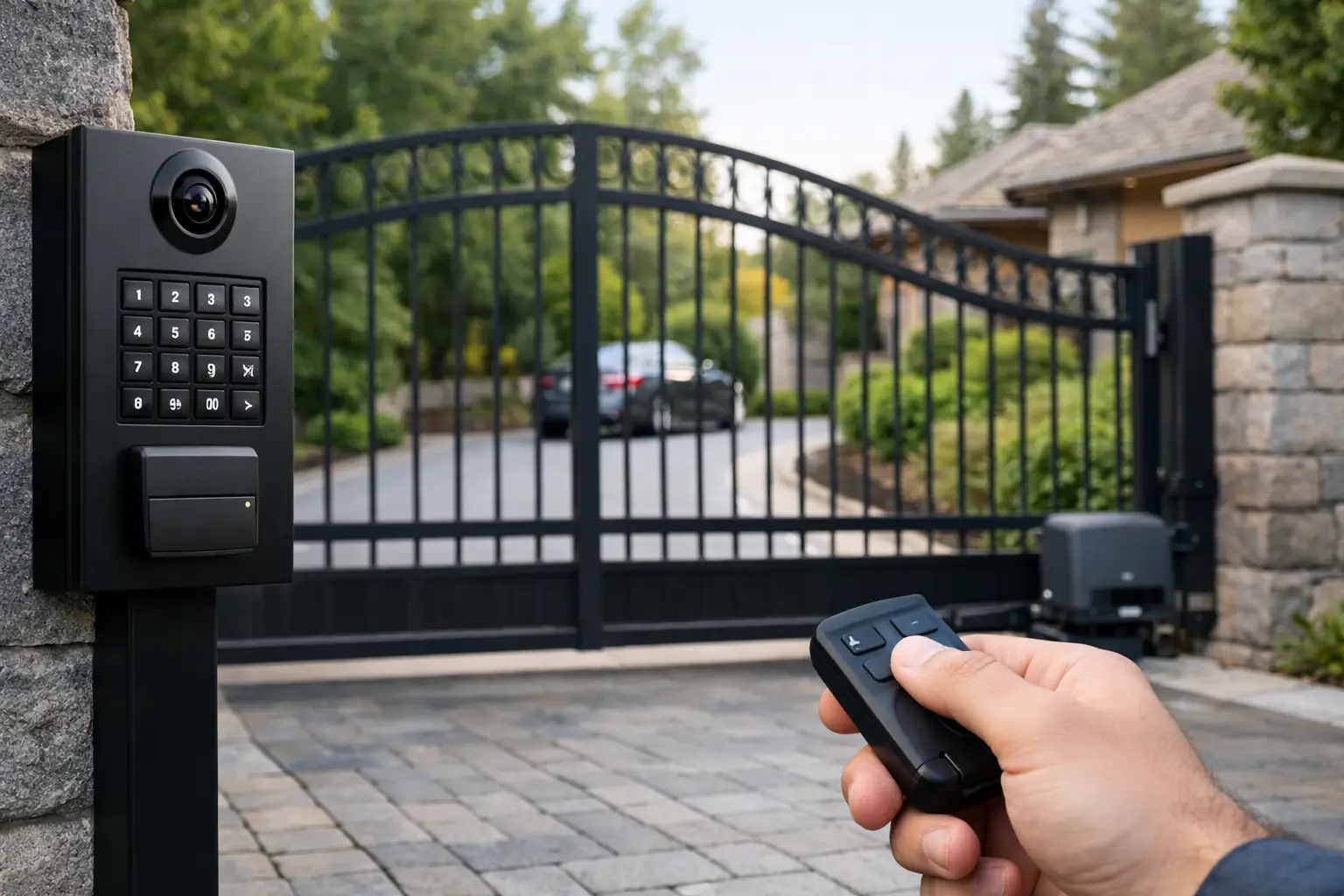
A gate that opens only when it feels like it is not providing much security or convenience. The right driveway gate access control gives your household, employees, visitors, and deliveries a clear way in while keeping unapproved traffic out. For properties across Gilbert and the East Valley, the goal is simple: dependable entry without creating a daily hassle.
The best system is rarely the one with the most features. It is the one that matches how people actually use your property, works with your gate operator, and can handle intense Arizona sun, dust, and everyday wear.
Start With How People Enter Your Property
Before choosing a keypad, remote, phone app, or card reader, think about who needs access and when. A residential household may need a simple setup for family members, dog walkers, and occasional guests. A small business, HOA, rental property, or service yard may need a more controlled system with individual credentials and a record of who entered.
Ask a few practical questions. Do visitors arrive frequently? Is the gate far enough from the house that a wireless remote has limited range? Do employees come and go on different shifts? Will delivery drivers need a temporary code? The answers narrow down the best options quickly.
A good access control setup should also account for the gate itself. Sliding gates, swing gates, dual gates, and heavy commercial gates each place different demands on the operator and safety equipment. Access controls tell the operator when to open, but the operator, photo eyes, loops, and reversing systems must all be in good working order for the gate to move safely.
Common Driveway Gate Access Control Options
Keypads: A practical choice for regular visitors
Keypads are one of the most common choices for homes and small commercial properties. A visitor enters a code, and the gate opens. They are easy to understand, do not require someone to carry a remote, and work well for guests, landscapers, cleaners, and delivery access.
The trade-off is code management. If one shared code gets passed around, it becomes difficult to know who has access. A keypad with multiple user codes is a better fit when you want separate codes for family, vendors, or tenants. Change codes when a relationship or service arrangement ends, especially after a tenant moves out or staff changes occur.
For Arizona properties, choose an exterior-rated keypad designed for heat and direct sun. Faded buttons, cracked housings, and intermittent performance are common signs that an older unit has reached the end of its useful life.
Remotes: Fast and familiar for daily use
Remotes remain a reliable option for household members and employees who enter by vehicle every day. They are convenient, quick to use, and familiar to anyone with a garage door opener.
Their limitation is control. A lost remote should be removed from the system as soon as possible. If remotes have been handed out over the years with no record of who has them, reprogramming the receiver and issuing new remotes may be the safer move. For a business or community gate, remotes alone may not provide enough accountability.
Telephone and video entry systems: Better for guest screening
Telephone entry systems let a visitor call a resident or office from the gate. The person inside can speak with the visitor and release the gate remotely. Video entry adds a live image, giving you more information before allowing someone onto the property.
These systems are especially helpful for long driveways, gated homes, multi-tenant properties, and businesses that receive vendors or customers throughout the day. A video system can provide peace of mind, but it depends on dependable power, a good communication connection, and equipment positioned to see the approach clearly.
If the gate entrance has poor cellular coverage or weak Wi-Fi, that should be addressed before relying on an app-based or video-based system. Convenience is only helpful when it works consistently.
Smartphone access: Useful when credentials change often
Smartphone-based access control can allow you to open the gate from an app, share temporary access, and remove a user without collecting a remote or changing a physical key. For busy homeowners and property managers, that flexibility can be a major advantage.
It is not always the best standalone solution. Phones run out of battery, apps need updates, and visitors may not be comfortable with a digital invitation process. Many properties benefit from combining smartphone access with a keypad or call box so there is a straightforward backup method.
Card readers, fobs, and tags: Strong options for managed properties
Card, fob, and proximity-tag systems are common for commercial sites, private communities, and facilities where access needs to be assigned by person. They offer more control than a shared keypad code and can be easier to manage than dozens of remotes.
For a small business with a limited team, this can be a clean and practical solution. For a property with frequent turnover, it is particularly useful because credentials can be deactivated when an employee, vendor, or tenant no longer needs entry.
Do Not Overlook Safety and Emergency Access
Access control is only one part of a properly functioning automatic gate system. A gate must be able to detect obstructions and reverse when necessary. Photo eyes, vehicle detection loops, monitored safety edges, warning devices, and properly adjusted operator settings all play a role.
Do not disable safety devices because the gate is acting up. A gate that will not close, reverses unexpectedly, or closes too aggressively needs professional attention. Bypassing a sensor may seem like a quick fix, but it can create a serious risk for children, pets, visitors, vehicles, and your property.
Emergency access matters, too. Your gate design should allow approved emergency responders to enter when needed. Depending on the property and local requirements, that may involve a Knox device, fire department access method, or another approved solution. This is worth discussing during installation rather than after an urgent situation exposes a problem.
Plan for Arizona Heat, Dust, and Monsoon Weather
Driveway gates in Arizona work hard. Electronics sit in heat, components collect dust, and monsoon storms can expose weak wiring, worn seals, and poor drainage. The access device may be the visible part of the system, but its reliability often comes down to the condition of the wiring, enclosure, battery backup, and operator.
A few maintenance habits can prevent avoidable access problems:
- Keep keypad faces, photo eyes, and call-box cameras clean and free of spider webs or debris.
- Test remotes, keypads, safety sensors, and manual release functions regularly.
- Replace weak remote batteries before they leave someone stuck outside the gate.
- Inspect the gate track, hinges, rollers, and latch area for dirt, wear, or misalignment.
- Have damaged conduit, exposed wires, or water-prone enclosures repaired promptly.
Battery backup deserves special attention. A power outage should not leave you trapped inside or locked out of your own driveway. Backup power may be essential for a home gate and is often even more valuable for businesses that need to maintain access during an outage.
When to Repair, Upgrade, or Replace Your Access System
A repair may be enough if the gate operator is in good condition and one component has failed, such as a keypad, receiver, remote, photo eye, or wiring connection. Replacing only the failed part can be the most affordable path when the rest of the system is safe and compatible.
An upgrade makes sense when your needs have changed. Perhaps you have added employees, started managing a rental, want temporary visitor codes, or need better visibility at the entrance. In those cases, adding a multi-code keypad, call box, video entry system, or app-enabled controller can improve daily use without replacing the entire gate.
Replacement may be smarter when the operator is outdated, parts are difficult to find, the system has repeated electrical issues, or the gate no longer meets current safety expectations. Honest guidance should include the cost of repeated repairs versus installing equipment that will serve the property more reliably for years.
Choose a Setup You Can Actually Manage
The most secure access system can still create headaches if no one knows how to update codes, deactivate a lost fob, or release the gate during an emergency. Make sure the owner, manager, or designated staff member understands the basics. Keep a secure record of user codes and credentials, and avoid leaving remotes in unattended vehicles.
For homes and businesses, a professional gate technician can help match the controls to the operator, wiring layout, traffic level, and safety needs. Riggs Rescue AZ can inspect an existing gate system, explain your options in plain language, and help you avoid paying for features that do not fit your property.
A dependable gate should make arrival feel routine, not stressful. Choose access controls that are easy for the right people to use, difficult for the wrong people to bypass, and supported by a gate system that is maintained before a small issue becomes an inconvenient lockout.

Leave a Reply