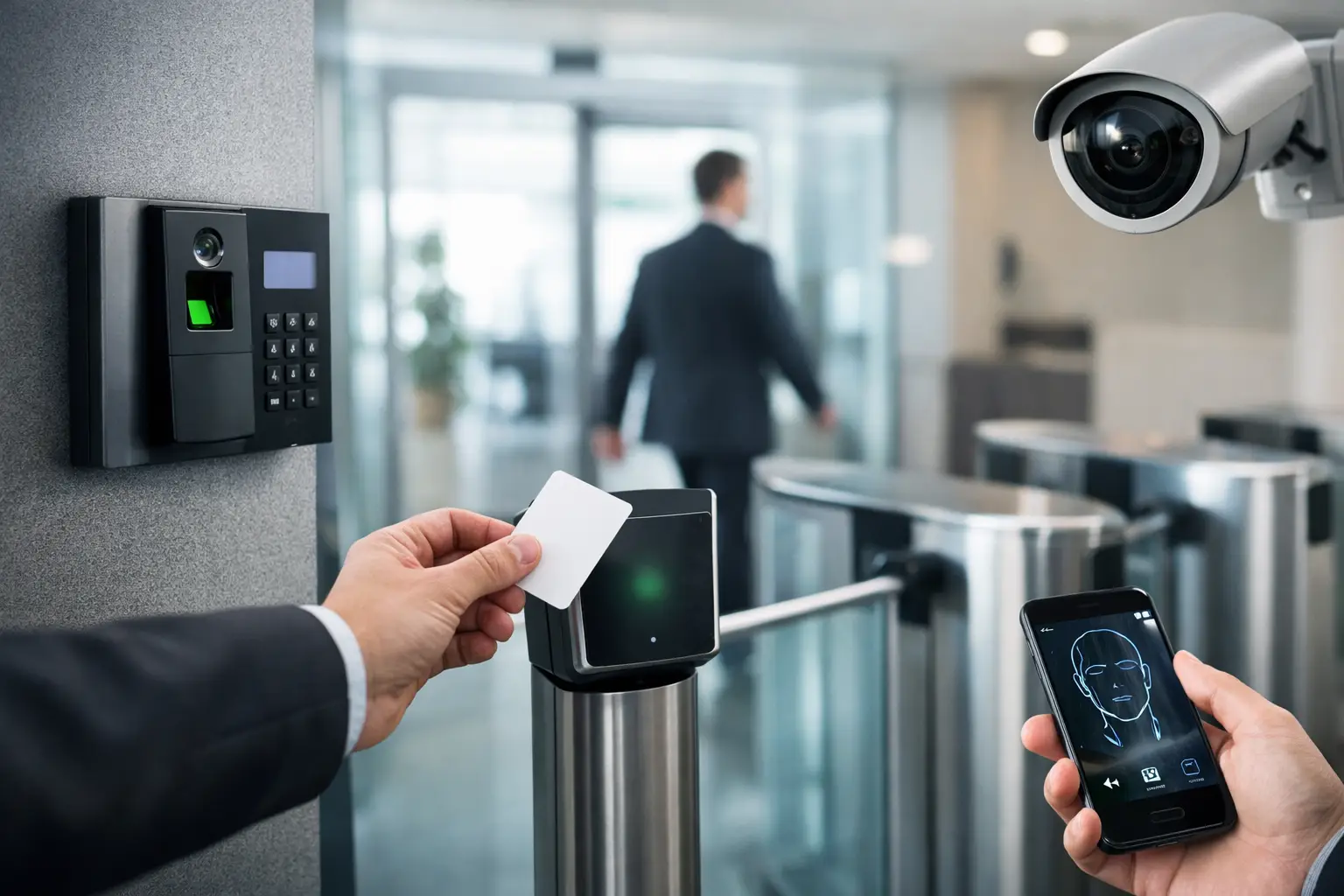
A gate that opens only when it should, a warehouse door that is not left unsecured after a delivery, and a clean record of who entered after hours can prevent a small problem from becoming an expensive interruption. That is why commercial access control trends matter to business owners and property managers. The goal is not to add technology for its own sake. It is to give the right people convenient access while keeping your building, equipment, inventory, and team protected.
For businesses across the East Valley and Phoenix area, the best system depends on the property. A medical office has different needs than a storage yard, auto shop, apartment community, or distribution facility. Still, several changes are shaping how commercial properties handle gates, pedestrian entries, and commercial garage doors.
Commercial Access Control Trends Moving Beyond Keys
Traditional metal keys are simple, but they are difficult to manage at scale. When an employee leaves, a key goes missing, or a contractor needs temporary entry, a business may need to rekey locks or accept an unknown level of risk. Modern systems are increasingly built around credentials that can be changed without replacing hardware.
Mobile credentials are becoming practical
Many businesses now use a phone as an access credential. Instead of carrying another key card or fob, an authorized employee can use a mobile app or digital pass to open a door or gate. If their role changes, access can be adjusted quickly. If a phone is lost, the credential can be removed without changing every lock on the property.
This is especially useful for businesses with rotating staff, vendor visits, or multiple locations. A property manager can provide temporary access to a service technician, then turn it off when the work is complete. It can also reduce the familiar problem of unreturned keys and fobs piling up over time.
Mobile access is not automatically the right answer for every building. Some teams prefer physical cards because they are easy to issue and do not depend on a personal phone battery. A smart setup can support both, giving employees a reliable backup while the business gradually adopts mobile credentials.
Cloud-based management offers more visibility
Another major shift is cloud-based access management. Rather than programming every change from a single on-site panel, authorized managers may be able to add users, change schedules, and review activity from a secure dashboard.
For a business owner, that can mean less waiting when a new employee starts or an access code needs to be removed. For property managers, it can mean a clearer view of activity across several doors, gates, or buildings. Cloud management also makes it easier to assign access by role. Office staff may enter through a pedestrian door during business hours, while delivery drivers can be limited to a specific vehicle gate during a narrow window.
The trade-off is that cloud-connected equipment needs a dependable network and thoughtful setup. It should not be treated as a plug-and-play shortcut. User permissions, administrator access, software updates, and network security all need a clear plan.
Gate, Garage Door, and Entry Systems Are Working Together
A commercial property’s security is only as strong as its weakest access point. A secured front entry does little good if a side gate stays open, a garage door does not close fully, or an old keypad code is shared too widely.
Businesses are moving toward connected systems that coordinate pedestrian doors, automatic gates, vehicle entries, cameras, and commercial garage doors. This does not always require replacing everything at once. In many cases, a well-planned upgrade starts with the points that create the greatest risk or daily frustration.
For example, a contractor yard may prioritize a sliding gate with controlled entry and reliable exit detection. A warehouse may need an access-controlled personnel door alongside a commercial overhead door that closes safely after deliveries. An office complex may focus on visitor entry, intercom communication, and after-hours access for tenants.
Video and intercom systems provide useful context
Access records tell you that a credential was used. Video and intercom tools can help explain what was happening at the time. A manager can verify a visitor before releasing a gate, speak with a delivery driver, or review activity when an alarm or access event occurs.
The value is often operational as much as security-related. Teams can handle visitors without walking across a large property. Deliveries can be directed to the right entrance. Employees do not have to prop open a door just to accommodate a regular vendor.
That said, a camera does not repair a failing gate operator or a misaligned garage door. Physical equipment still needs to work correctly. A good access plan pairs technology with properly maintained gates, door hardware, safety devices, and operators.
Vehicle Access Is Getting More Controlled and More Convenient
Commercial vehicle gates are a high-priority area because they protect expensive equipment, fleet vehicles, inventory, and outdoor work areas. Current systems increasingly offer multiple ways to authorize entry, including keypads, remotes, mobile credentials, long-range vehicle tags, and staffed or video-based call boxes.
The right choice comes down to traffic patterns. A busy employee lot may benefit from hands-free vehicle access that reduces backups at the gate. A low-traffic service yard may be better served by a durable keypad and a limited set of managed remotes. A property that receives frequent deliveries may need an intercom or video call box so drivers can request access without receiving a permanent code.
Convenience should never override safety. Gate systems need working photo eyes, loop detectors, entrapment protection, and properly adjusted closing settings. In Arizona, heat, dust, worn rollers, damaged tracks, and electrical issues can affect performance over time. When a gate hesitates, reverses unexpectedly, or will not close consistently, it is more than an inconvenience. It can create a security gap and disrupt the workday.
Cybersecurity Is Now Part of Physical Security
As access systems connect to networks, cybersecurity has become part of the conversation. A keypad and a gate operator used to be almost entirely mechanical concerns. With remotely managed accounts, mobile credentials, cameras, and cloud dashboards, businesses also need to protect digital access.
Simple habits make a real difference: use unique administrator passwords, remove former employees promptly, limit who can change system settings, and keep connected devices updated. It is also wise to separate day-to-day user permissions from administrator permissions. Not everyone who can enter a building needs the ability to add credentials or unlock every door remotely.
This does not mean a small business needs an overly complicated enterprise system. It means the access plan should fit the actual risk. A two-door office may need straightforward controls and clear user management. A multi-tenant property, medical facility, or high-value storage site may need detailed permissions, audit history, and more layers of verification.
Reliability and Maintenance Are Still the Foundation
The most useful commercial access control trend is also the least flashy: businesses are paying more attention to reliability before an emergency happens. Access technology cannot deliver much value if the gate will not open at 7 a.m., the garage door fails during a shipment, or a failing opener leaves a bay unsecured overnight.
Routine service helps catch problems such as worn hinges, damaged rollers, loose hardware, aging remotes, weak backup batteries, misaligned safety sensors, and gate operator issues. It also gives a business a chance to review whether old credentials, shared keypad codes, or outdated entry schedules still make sense.
For commercial garage doors, maintenance is particularly important because the door may cycle many times each day. Springs, cables, tracks, operators, and safety systems work under significant load. Waiting until a door is stuck can lead to lost time, delayed deliveries, and a greater chance of costly damage.
How to Choose the Right Upgrade
Before purchasing new hardware, start with the daily problems you want to solve. Are employees sharing codes? Do vendors need temporary entry? Is an aging gate operator causing delays? Are you unsure who has keys? Does a commercial garage door create an unsecured opening after business hours?
Then consider the size of the property, the number of users, required entry points, and how quickly permissions may change. A small, simple system that is used correctly is better than an elaborate system no one understands. The best installation leaves room to grow without forcing you to pay for features your business will never use.
A qualified local gate and commercial door team can also look at the physical condition of your existing equipment before recommending access upgrades. Riggs Rescue AZ can help business owners identify practical options for gates, commercial doors, openers, and entry points without pushing a one-size-fits-all solution.
Start with the entry point that causes the most stress or risk, make sure its hardware and safety features are dependable, and build from there. That is often the fastest path to better control, fewer disruptions, and a property that is easier to manage every day.

Leave a Reply